Proxmox Backup Server: backups you can restore
Proxmox Backup Server backs up Proxmox VE guests and Linux hosts. inett designs the retention, builds the server, sets up an offsite copy and tests restores with you.
Why backups fail when you need them
A backup job that reports success says little about whether a restore will work. Many organisations find out during an incident: the job had been failing for weeks, the retention was too short, or the backups sat on the same storage as the VMs they were meant to protect.
Ransomware raises the stakes. Attackers look for backup servers and delete or encrypt them before they encrypt production. One copy inside the same network is therefore not enough.
What inett does
Proxmox Backup Server is the backup software from Proxmox. It is written in Rust and released under the GNU AGPLv3. It backs up virtual machines and containers from Proxmox VE, and Linux hosts through the Proxmox Backup Client.
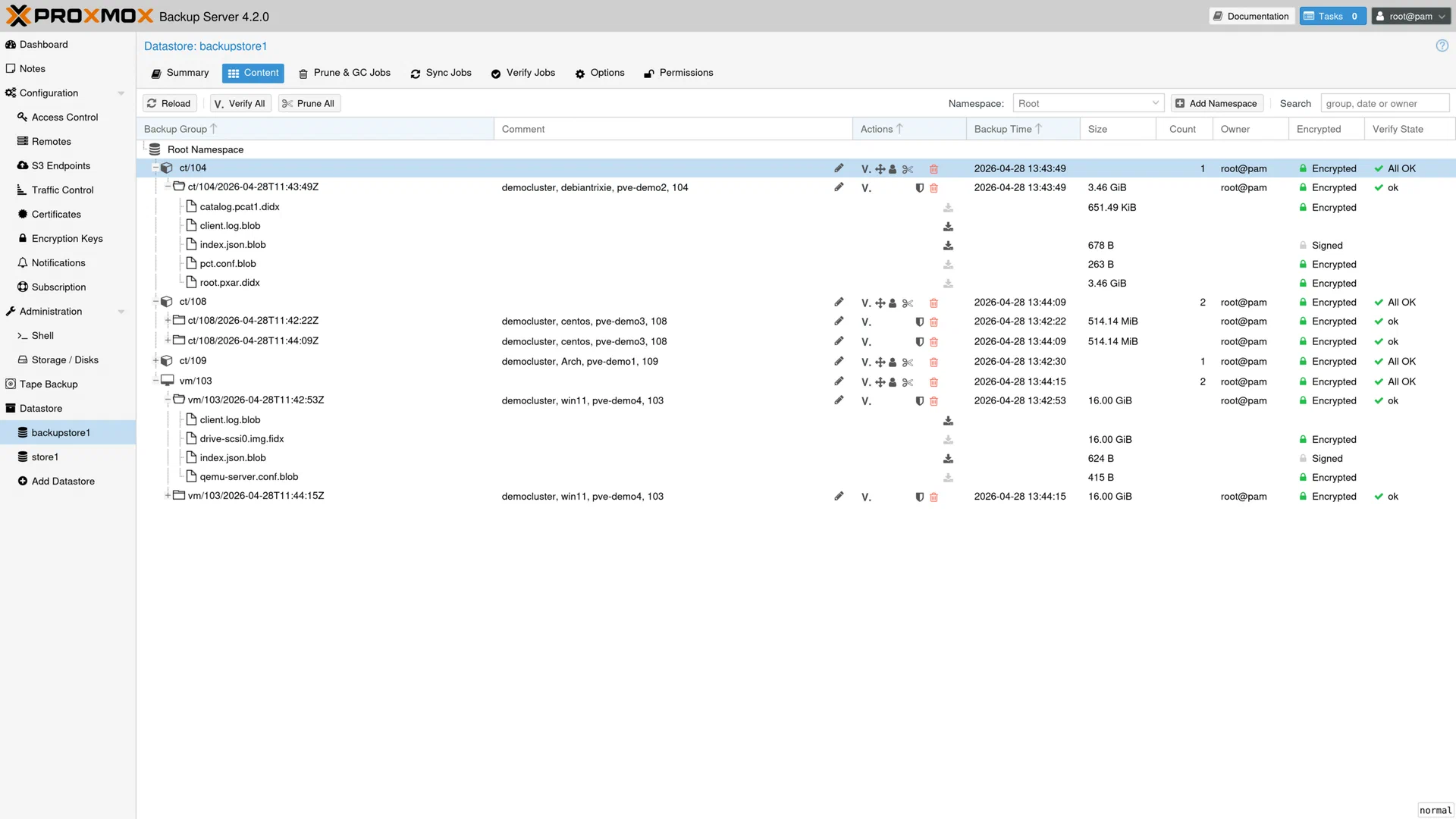
How it stores data matters for planning. The server splits backup data into chunks and stores each chunk once per datastore. Every backup is a complete snapshot that references those chunks, so there is no chain of full and incremental backups to maintain, and you can delete any snapshot on its own. Only chunks the server does not already hold travel over the network. For running VMs, Proxmox VE tracks changed blocks in a dirty bitmap and reads only those. After a VM restart the next run reads the whole disk again, but still uploads only new chunks.
inett is a Proxmox Gold Partner. Proxmox Backup Server subscriptions are available in the inett shop at shop.inett.lu.
Our work covers:
- Retention design. We agree how often each system is backed up and how long snapshots are kept. That determines the storage you need.
- Separate hardware. We install the server outside your Proxmox VE cluster, so a cluster failure does not take the backups with it.
- Offsite copy. Sync jobs replicate the datastore to a second Proxmox Backup Server at another site. Tape (LTO) and S3-compatible object storage are further options.
- Access control. Each Proxmox VE cluster gets its own API token that can create backups but not delete them. Pruning runs on the backup server itself. On request, the client encrypts data before it leaves the host.
- Verification. Verify jobs re-read stored chunks and check their SHA-256 checksums. We also run a real restore with your team.
Client-side encryption is optional. If you use it, the key must be stored safely away from the backup server. Without the key, nobody can restore the data, including us.
Technical details
- Current release
- Proxmox Backup Server 4.2, released 29 April 2026 (as of October 2026)
- Base system
- Debian 13 “Trixie”, Linux kernel 7.0, ZFS 2.4
- Sources
- Proxmox VE VMs and containers; Linux hosts via the Proxmox Backup Client
- Method
- chunk-level deduplication; every backup is a full snapshot; only new chunks are transferred
- Compression
- Zstandard
- Encryption
- optional client-side AES-256-GCM; transfer always over TLS
- Integrity
- SHA-256 checksums, scheduled verify jobs
- Second copy
- sync jobs to a remote Proxmox Backup Server (pull or push), LTO tape, S3-compatible object storage as a datastore backend (fully supported since 4.2)
- Restore
- whole VM or container, or single files and directories
- Recommended hardware
- at least 4 CPU cores; 4 GiB RAM plus 1 GiB per TiB of backup storage; fast enterprise SSDs, or a ZFS special device when using HDDs (Proxmox documentation)
- Licence
- GNU AGPLv3; subscription optional
What is included
- Inventory of systems to protect, schedules and retention rules
- Sizing of server hardware and backup storage
- Installation and datastore configuration
- Integration with Proxmox VE and backup job set-up
- API tokens and permissions; client-side encryption and key handling on request
- Offsite copy via sync job, tape or object storage
- Verify, prune and garbage collection jobs
- A test restore with your team, plus documentation
Who it is for
Proxmox Backup Server fits organisations that run Proxmox VE or are moving to it. Integration with Proxmox VE is built in, and deduplication saves a lot of space when many VMs share the same operating system.
It is not designed for physical Windows servers, Microsoft 365 data or databases that need application-aware backups from their own tools. Those need a separate solution, or protection at the level of the whole VM.
Frequently asked questions
Are the backups incremental?
Only the transfer is. Each backup is a full snapshot. Because the server keeps each chunk once, a new snapshot only consumes space for changed data, and deleting one snapshot never breaks another.
Can Proxmox Backup Server run as a VM on my cluster?
It can, but then a cluster failure also takes the backups offline. We recommend separate hardware, or at least an offsite copy.
Does it protect against ransomware?
It reduces the risk. Backup-only permissions, an offsite or tape copy and regular verification all help. No product can guarantee protection.